
Why Website Performance Matters for Business Growth: Sub-Second Speed Engineering
A commercial analysis of Core Web Vitals, mobile bounce rates, search engine rankings, and conversion rate optimization.

- 1. The Direct Financial Cost of a Slow Website
- 2. Google's Speed Mandate: Demystifying Core Web Vitals
- 3. The 4 Hidden Culprits Behind Sluggish Websites
- 4. RankVRA's Technical Performance Engineering Playbook
- 5. Real Performance vs Conversion Benchmarks
- 6. Why Modern Next.js Crushes Legacy CMS Performance
- 7. How to Audit Your Website's Real-World Speed Today
In modern digital commerce, speed is not a vanity metric; it is an unforgiving financial filter. When a prospective client clicks on your Google Ad or organic search result in the United States, United Kingdom, Canada, or India, their expectations are uncompromising. If your page does not render immediately, they do not wait—they tap the back button and visit your direct competitor. Extensive research across millions of online transactions confirms that a 1-second delay in page load time reduces conversions by 7%, increases bounce rates by over 30%, and signals to Google's ranking algorithms that your website delivers an inferior user experience. This guide breaks down the science of website performance optimization and explains the exact technical strategies required to achieve sub-second speeds.
Website performance optimization directly dictates commercial success: every 100ms delay in mobile page load reduces conversion rates by 1%, while sluggish pages suffer from higher paid advertising bounce rates and algorithmic search penalties under Google Core Web Vitals. Engineering sub-second speeds transforms traffic into revenue.
1. The Direct Financial Cost of a Slow Website
How sluggish page loads silently erode marketing budgets and pipeline revenue
Consider the mathematics of slow website performance for a business investing $10,000 per month in paid Google Ads or SEO campaigns:
If your website takes 4.5 seconds to load on a mobile device, industry benchmarks establish that approximately 38% of paid clicks will bounce before the main page content even renders. That means $3,800 of your monthly ad spend is instantly wasted on users who never saw your value proposition.
Furthermore, for the visitors who remain, every additional second of friction during checkout or lead-form completion reduces conversion intent. Optimizing your website from 4.5 seconds down to 0.9 seconds frequently doubles lead volume from the exact same marketing spend without spending an extra dollar on advertising.
2. Google's Speed Mandate: Demystifying Core Web Vitals
The three technical metrics Google uses to evaluate and rank your site
Google incorporates real-world user telemetry (Chrome User Experience Report / CrUX) directly into search ranking algorithms through Core Web Vitals:
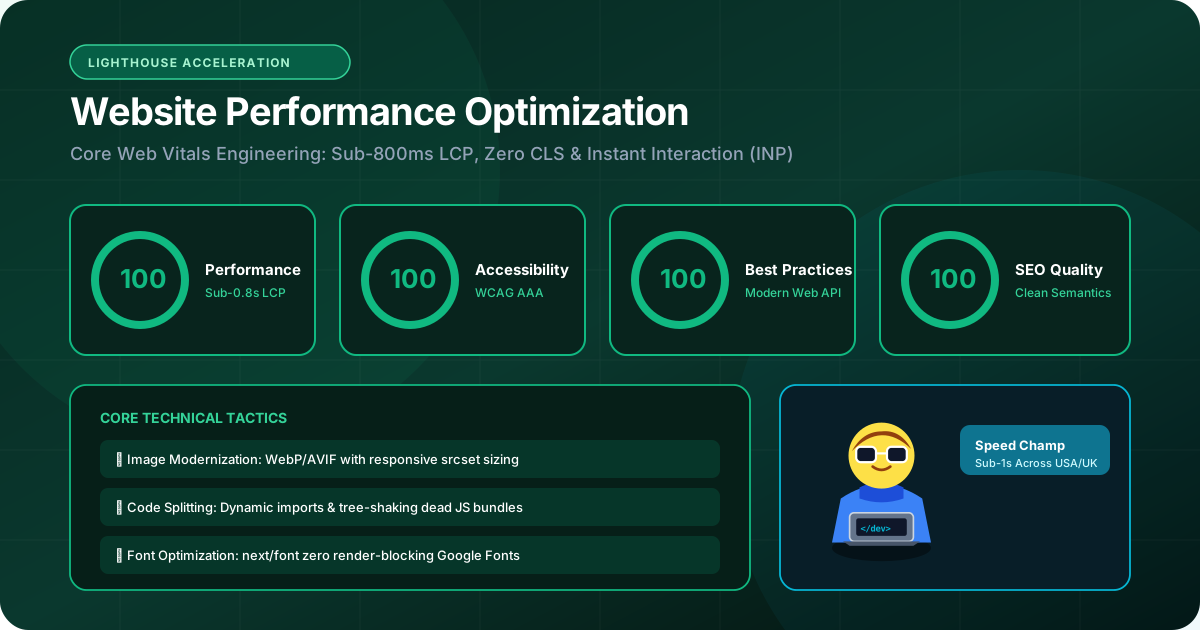
• Largest Contentful Paint (LCP < 1.2s): The time it takes for the largest visual content element (such as your hero banner or main heading) to render completely. LCP is the definitive benchmark of perceived visual loading speed.
• Interaction to Next Paint (INP < 50ms): The latency between when a user clicks a button, menu, or form field and when the browser visually updates the interface. INP replaced FID to ensure websites do not freeze during user interactions.
• Cumulative Layout Shift (CLS = 0): The visual stability of your page. If text or buttons suddenly jump around as late-loading fonts or un-sized images load, your CLS score suffers.
Websites that pass all three Core Web Vitals receive preferential organic ranking placement and lower Cost-Per-Click (CPC) in Google Ads due to higher landing page Quality Scores.

3. The 4 Hidden Culprits Behind Sluggish Websites
Where performance bottlenecks actually originate in production codebases
Through dozens of technical performance audits, we consistently identify four root causes of website slowness:
1. Client-Side JavaScript Bloat: Loading megabytes of unminified third-party analytics trackers, chat widgets, marketing pixels, and oversized libraries that paralyze the mobile device's single-threaded CPU.
2. Unoptimized Media Assets: Serving multi-megabyte raw JPEG or PNG images instead of modern, highly compressed WebP and AVIF formats with responsive srcset dimensions.
3. Render-Blocking External Resources: Forcing the browser to download and parse multiple external CSS files and web fonts before rendering any text.
4. Slow Server Response Times (High TTFB): Running on cheap shared hosting where database queries take 1,500ms to return an initial HTML byte.
4. RankVRA's Technical Performance Engineering Playbook
The exact engineering remediations we implement to achieve 95+ PageSpeed scores
At RankVRA, our performance engineering protocol targets every layer of the delivery stack:
• Server-Side Pre-Rendering: Utilizing Next.js App Router to compile pages into clean semantic HTML on edge servers, ensuring an instant First Contentful Paint (FCP).
• Advanced Image Optimization: Converting all visual assets to AVIF/WebP formats with explicit width/height bounding boxes and priority preloading on hero graphics.
• Critical CSS Inlining & Font Preloading: Inlining critical viewport CSS directly in the HTML document head and preloading modern WOFF2 fonts with font-display: swap to eliminate FOIT (Flash of Invisible Text).
• Third-Party Script Isolation: Sandboxing marketing pixels (Meta Pixel, Google Tag Manager) using web workers (Partytown) or executing them asynchronously after user interaction, freeing the main thread for instant INP.
• Edge CDN Caching: Distributing content across global edge networks, ensuring sub-50ms Time to First Byte (TTFB) globally.
5. Real Performance vs Conversion Benchmarks
Documented empirical evidence linking speed to commercial revenue
The table below details real-world performance benchmarks documented across global e-commerce and B2B platforms:
| Mobile Page Load Time | Average Mobile Bounce Rate | Relative Conversion Rate | Google Core Web Vitals Status |
|---|---|---|---|
| Under 1.0 Second | 9% – 12% | 100% (Baseline High Performance) | Excellent (Full Pass on all Vitals) |
| 1.0 – 2.0 Seconds | 15% – 22% | 85% (15% Conversion Loss) | Good (Passing Core Thresholds) |
| 2.0 – 3.0 Seconds | 28% – 38% | 68% (32% Conversion Loss) | Needs Improvement |
| 3.0 – 5.0 Seconds | 45% – 60% | 42% (58% Conversion Loss) | Failing (Algorithmic Penalty Risk) |
| 5.0+ Seconds | Over 70% | Under 20% (80% Lost Revenue) | Severe Failure (High Ad Cost / Low Rank) |
6. Why Modern Next.js Crushes Legacy CMS Performance
The architectural superiority of modern React frameworks over bloated templates
Many businesses struggle with speed because their platform is built on monolithic legacy software like WordPress. A standard WordPress site loads dozens of separate CSS and JS files from installed plugins, makes dozens of database queries for a single page view, and relies on brittle third-party caching plugins that frequently break layouts.
In contrast, custom web development built with Next.js produces an optimized, tree-shaken, minimal bundle. Server Components execute on the cloud server, meaning zero component code is shipped to the user's phone. The resulting site operates with the blistering speed of a native mobile app.
7. How to Audit Your Website's Real-World Speed Today
Three objective diagnostic tools to measure your digital performance
To understand your current performance bottlenecks, run your domain through these three industry-standard diagnostic suites:
1. Google PageSpeed Insights (pagespeed.web.dev): Inspect your mobile score and check your real-world CrUX field data.
2. WebPageTest (webpagetest.org): Run a test on a throttled 4G mobile connection to inspect the visual waterfall chart and identify long main-thread tasks.
3. Chrome DevTools Performance Panel: Record a live interaction profile to diagnose exact JavaScript functions causing high INP latency.
If your mobile performance score is below 85, your business is actively losing customers to competitors with faster digital platforms.
The Bottom Line & Next Steps
Website performance optimization is one of the highest-ROI investments available to a modern enterprise. By engineering sub-second page transitions, eliminating main-thread locking, and mastering Google Core Web Vitals, you convert more visitors into clients, lower your paid customer acquisition costs, and dominate organic search results. If you are ready to eliminate speed bottlenecks on your website or web application, request a comprehensive performance audit from RankVRA today.
Questions Business Leaders Ask About website performance optimization
Can an existing website be optimized to pass Core Web Vitals without a complete rebuild?▾
Often, yes. Through script deferral, image compression to WebP/AVIF, font preloading, and edge CDN caching, we can frequently remediate failing Core Web Vitals on existing websites. However, if a website is fundamentally bogged down by dozens of conflicting plugins or an outdated monolithic theme, a modern Next.js rebuild delivers far superior long-term ROI.
What is a good Google PageSpeed Insights score for a business website?▾
We target a score of 95+ on desktop and 90+ on mobile. However, more important than the synthetic lab score is passing the real-world Core Web Vitals field data: LCP under 1.2s, INP under 50ms, and CLS of 0.00.
How does website speed affect Google Ads performance?▾
Google Ads explicitly factors Landing Page Experience into your Quality Score. A slow-loading landing page results in a lower Quality Score, which forces your business to pay higher Cost-Per-Click (CPC) bids for the same ad placement and lowers overall ad impressions.

Written by Naveen Panchal
AuthorFounder & Lead Technical Architect, RankVRA
Naveen Panchal is the Founder and Technical Director of RankVRA. He specializes in full-stack web engineering, Next.js architecture, and high-performance digital systems for clients across the US, UK, Canada, and India.
Explore Core Commercial Capabilities
Core Web Vitals & speed engineering services
Sub-second Next.js website engineering
Modernize legacy websites into high-speed Next.js
Modern React & Next.js user interfaces
Comprehensive technical speed & SEO review
- Google Developer Tools: Google PageSpeed Insights Diagnostic ToolOfficial Reference
- Google Chrome Team: web.dev: Learn Core Web VitalsOfficial Reference
- Catchpoint / WebPageTest: WebPageTest Performance Testing SuiteOfficial Reference
Request a Website Performance Audit
Stop bleeding leads to a sluggish website. Let RankVRA conduct a thorough technical performance audit of your web application, identify exact script bloat, and provide a verified speed roadmap.
Related Growth Blueprints
Explore more strategic articles from the RankVRA engineering desk.
Frontend Development: How Modern Websites Deliver Fast and Interactive Experiences
Learn how modern frontend development combines Next.js, React, and TypeScript to deliver lightning-fast page speeds, mobile responsiveness, and high conversion rates.
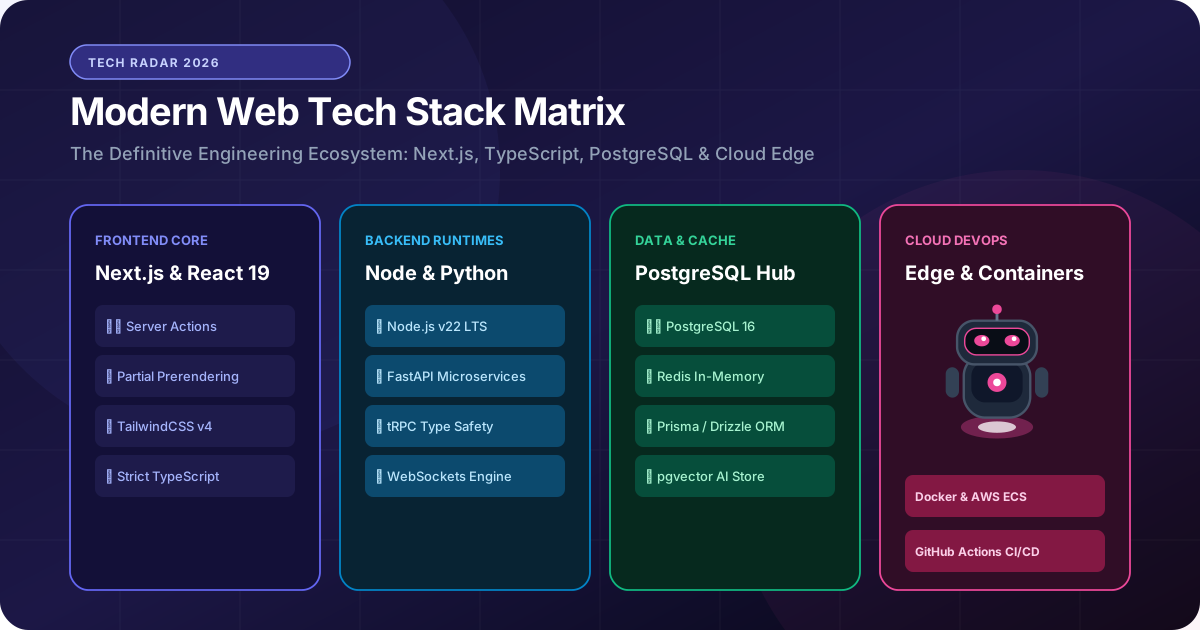
How to Choose the Right Web Development Technology for Your Business
Avoid costly technical debt. Learn how to select the right web development stack (Next.js, React, Node.js, Python, PostgreSQL) based on speed, scale, and business ROI.
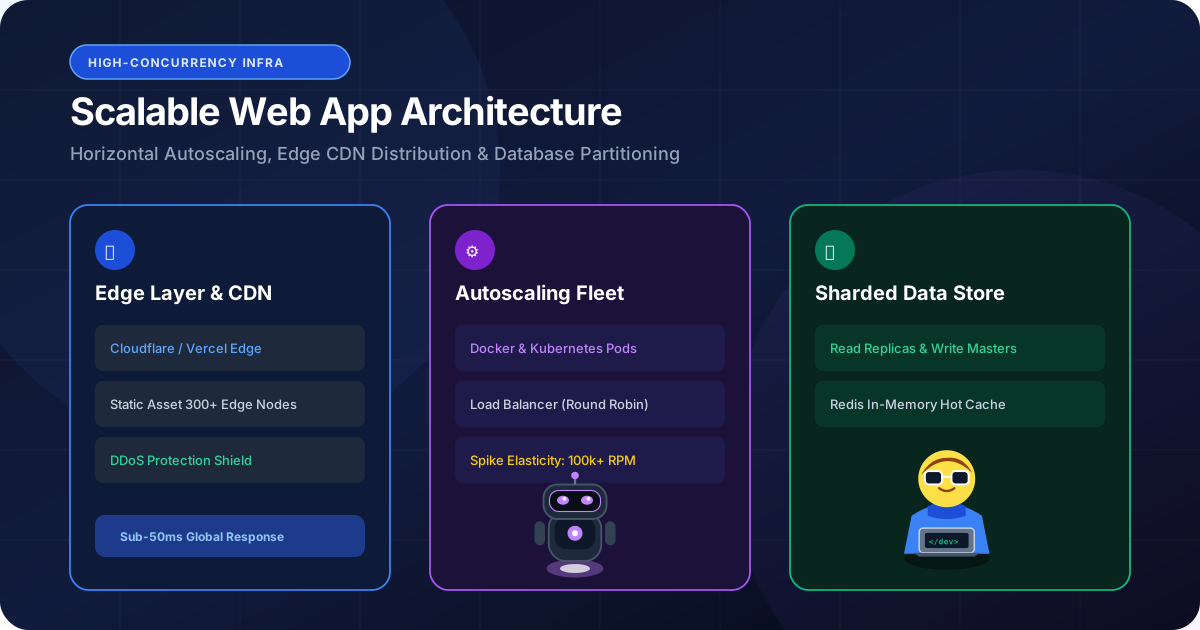
How to Build a Scalable Web Application for a Growing Business
Learn how to architect scalable web applications. Discover proven strategies for horizontal scaling, database read replicas, Redis caching, and zero-downtime growth.