
Progressive Web App vs Mobile App: Which Is Better for Your Business?
A comprehensive evaluation of PWAs versus Native Android, Native iOS, and responsive web applications for enterprise reach, performance, and user retention.

- 1. The Evolution of the Mobile Application Landscape
- 2. Defining the Contenders: PWA vs Native App vs Responsive Web
- 3. The 10-Point Technical & Economic Comparison Matrix
- 4. The Economics of Distribution: The 30% App Store Toll
- 5. When Progressive Web Apps Provide Maximum Leverage
- 6. When Native Mobile App Development Is Essential
- 7. The Strategic Mobile Selection Framework
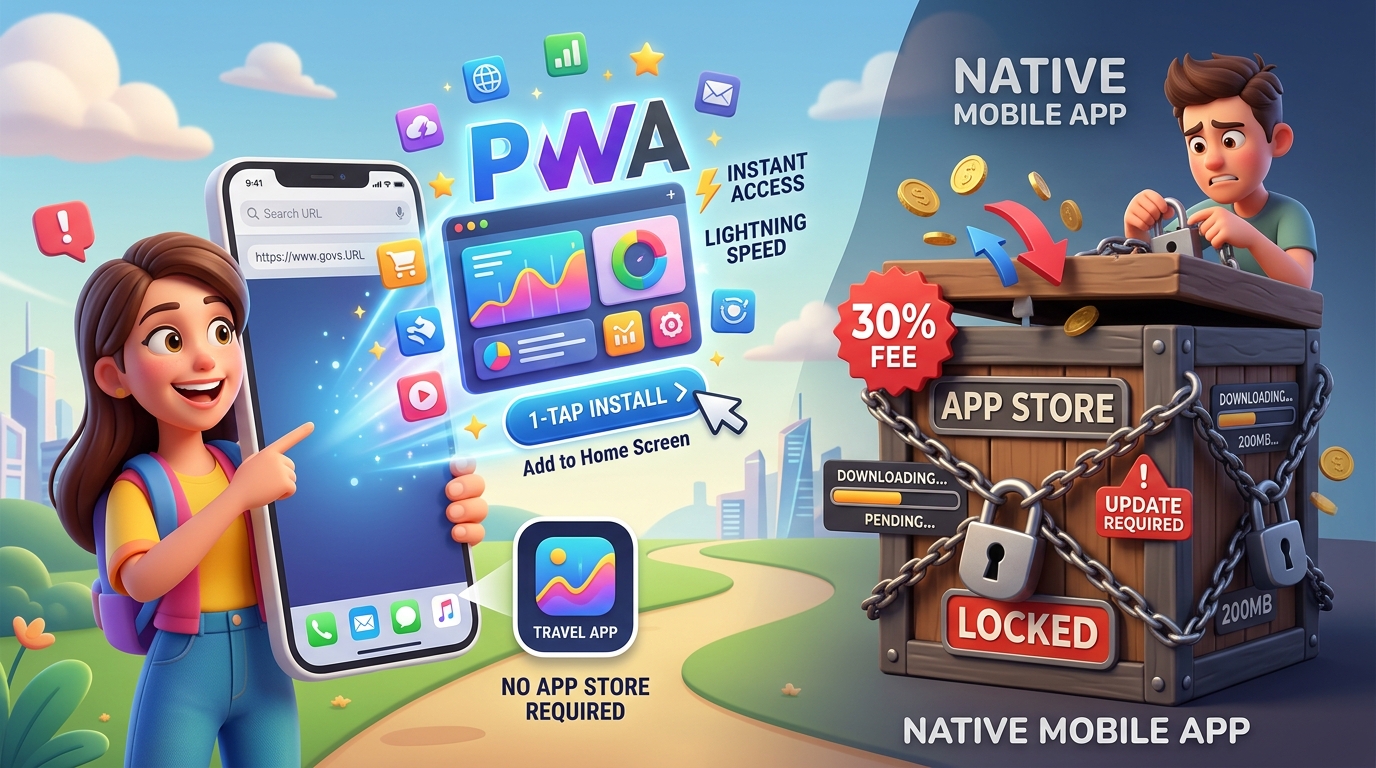
For business leaders developing a digital customer product, the mobile strategy question is notoriously difficult: Should our company invest in native mobile app development for iOS and Android, or should we build a modern Progressive Web App (PWA)? In previous technology eras, native mobile applications were the only way to deliver fast, installable experiences with push notifications and offline access. Today, modern web standards and browser APIs have closed the gap. A well-engineered Progressive Web App can be installed to a smartphone home screen in one tap, cache data for offline use, send push notifications, and load instantly—all while bypassing the strict gatekeepers, review delays, and 15%–30% revenue cuts of the Apple App Store and Google Play Store. In this guide, RankVRA's application engineering team delivers an objective architectural and economic comparison across PWAs, native mobile apps, and responsive web applications.
A Progressive Web App (PWA) is the superior business choice when your primary objectives are rapid user acquisition, zero app store friction, cross-platform distribution from a single codebase, and avoiding Apple/Google's 15%–30% in-app transaction fees. Native Mobile Apps (Android/iOS) are essential when your product demands intensive hardware access (Bluetooth Low Energy, NFC, LiDAR, background GPS), high-frame-rate 3D graphics, or presence within consumer app store discovery channels.
1. The Evolution of the Mobile Application Landscape
Why app store download friction is killing customer acquisition
Over 65% of global internet traffic originates from mobile devices. However, consumer and B2B user behavior has shifted dramatically over the past five years. The era of users eagerly downloading new apps for every business they encounter is over. Modern smartphone users experience acute 'app fatigue'—industry statistics reveal that the average smartphone user downloads zero new apps in a typical month.
Forcing a customer to visit an app store, wait for a 90MB download over cellular data, grant permission prompts, and create an account creates massive friction. Conversion funnel data proves that every additional step required to download a native app reduces user onboarding by over 20% per step.
Progressive Web Apps solve this acquisition crisis by turning any website into an installable mobile application with zero download barriers.
2. Defining the Contenders: PWA vs Native App vs Responsive Web
Understanding the technical foundations of modern mobile experiences
To make an informed decision, executives must understand the three mobile paradigms:
• Responsive Web Application: A standard website engineered using modern CSS frameworks (like Tailwind CSS) that rearranges its visual layout fluidly to fit mobile, tablet, and desktop screens. It runs entirely inside mobile browsers (Safari, Chrome) and requires an active internet connection.
• Progressive Web App (PWA): An advanced web application enhanced with modern browser APIs (Service Workers, Web App Manifests, Cache Storage). Users can 'Add to Home Screen' in 1 tap without visiting an app store. It runs in a standalone, full-screen viewport without browser URL bars, works offline, and receives push notifications.
• Native Mobile App: Software written specifically for mobile operating systems (Kotlin/Java for Android, Swift for iOS, or cross-platform Flutter/React Native). Compiled into binary application packages (.apk/.ipa) distributed exclusively through Google Play and the Apple App Store.
3. The 10-Point Technical & Economic Comparison Matrix
An objective evaluation across core technical, operational, and commercial criteria
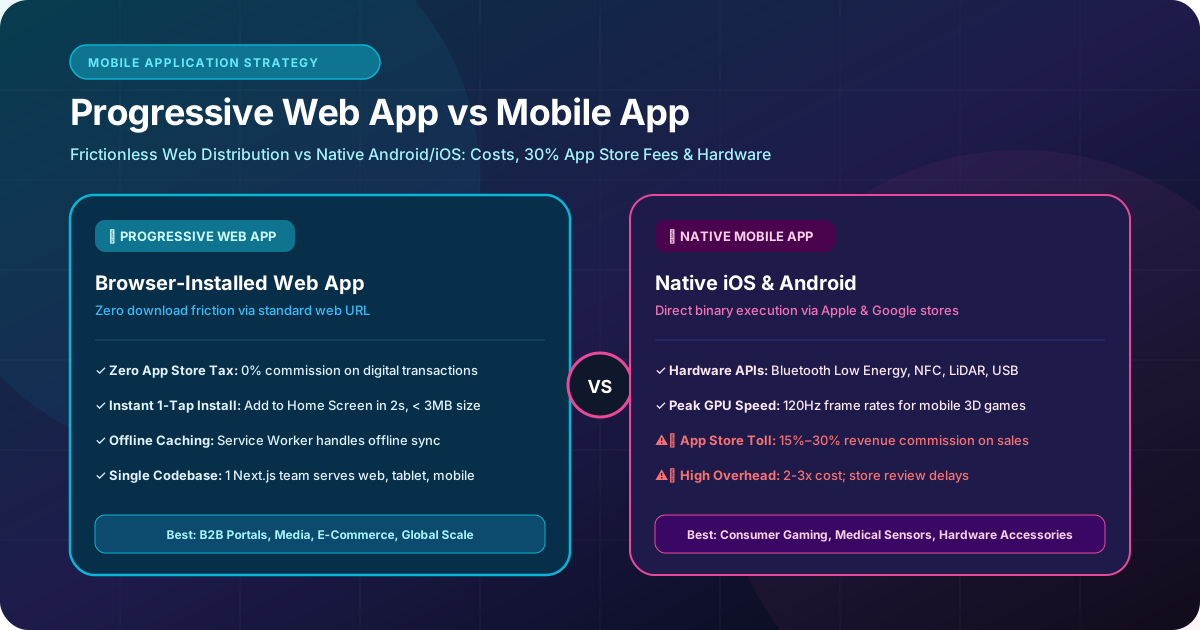
We compare PWAs against Native Mobile Apps across 10 critical dimensions:
| Evaluation Dimension | Progressive Web App (PWA) | Native Mobile App (Android / iOS) |
|---|---|---|
| Installation Friction | Zero friction; 1-tap install via URL prompt | High friction; requires search, download & storage |
| Development & Maintenance Cost | Single codebase (Web + PWA); 50%-70% lower TCO | Requires separate iOS & Android codebases or frameworks |
| App Store Commission Toll | 0% commission; direct billing via Stripe/credit cards | 15% to 30% toll on digital purchases & subscriptions |
| Deployment & Update Velocity | Instant; deploy updates to web server instantly | Requires store review approval (1 to 5 days delay) |
| Offline Functionality | Supported via Service Worker asset/data cache | Native local storage (SQLite, Room, CoreData) |
| Push Notifications | Supported on Android, Chrome, Edge, and iOS (Safari 16.4+) | Native Apple APNs & Google Firebase Cloud Messaging |
| Deep Hardware Access | Limited; camera, geolocation, audio, basic sensors | Complete; Bluetooth Low Energy, NFC, LiDAR, USB |
| Storage Footprint on Device | Ultra-lightweight (typically < 2MB to 5MB) | Heavy download (typically 40MB to 150MB+) |
| Discoverability & SEO | Directly indexed by Google; instant organic search rank | Restricted to App Store Optimization (ASO) algorithms |
| Performance & Frame Rates | Fast (60fps DOM rendering via modern React) | Peak performance (120Hz GPU-rendered animations) |
4. The Economics of Distribution: The 30% App Store Toll
How digital platform fees impact company unit economics and margins
One of the most consequential considerations in the mobile debate is financial distribution policy. Both Apple and Google mandate that digital goods, digital subscriptions, and premium in-app features sold inside native mobile apps must process through their in-app purchasing (IAP) systems, deducting a 15% to 30% cut of gross revenue.
For a B2B SaaS platform or digital publisher generating $1,000,000 in annual recurring revenue, paying a 30% app store fee represents an annual tax of $300,000 directly out of gross margins.
Because Progressive Web Apps operate on the open web, you have complete financial sovereignty. You can process transactions using Stripe, Razorpay, or direct bank ACH transfers, paying standard processing fees of 1.5%–2.9%—retaining hundreds of thousands of dollars in commercial profit.
5. When Progressive Web Apps Provide Maximum Leverage
Commercial use cases where PWAs outperform native applications
A Progressive Web App is the optimal architectural strategy in the following scenarios:
• B2B Customer Portals & Dashboards: Business buyers will not download a 100MB mobile app just to view an insurance policy or approve an invoice. A PWA provides instant, full-screen access directly from their mobile browser.
• High-Growth E-Commerce & Retail: Major retailers like Starbucks and AliExpress discovered that replacing heavy mobile apps with lightweight PWAs increased mobile conversions by over 30% while reducing bounce rates.
• Content Publications & Media Platforms: Publishers requiring immediate Google organic search indexing, social media link sharing, and fast reader access across all operating systems.
• Emerging Markets & Constrained Bandwidth: In regions across India, Southeast Asia, and Latin America where users operate entry-level smartphones with limited storage and costly cellular data, lightweight 2MB PWAs achieve vastly higher adoption than native apps.
Starting with iOS 16.4 and iPadOS 16.4, Apple officially added Web Push Notification support for Progressive Web Apps installed to the Home Screen, eliminating the historic gap between iOS native apps and web applications.
6. When Native Mobile App Development Is Essential
When hardware constraints and consumer expectations mandate native code
Despite the versatility of PWAs, native Android development and iOS engineering remain essential when:
• Your Product Relies on Specialized Hardware Sensors: Applications connecting to medical devices via Bluetooth Low Energy (BLE), reading RFID/NFC warehouse tags, utilizing LiDAR for 3D room scanning, or tracking continuous background GPS routes for delivery drivers.
• Intensive 3D Graphics & Mobile Gaming: High-frame-rate consumer games, physics engines, and complex real-time augmented reality (AR) requiring direct Metal or Vulkan GPU execution.
• Deep System Integration: Setting default phone dialers, custom keyboard extensions, live wallpaper engines, or deep system file system access.
• Consumer App Store Discovery: If your primary user acquisition model relies on consumers searching the App Store for lifestyle, fitness, or casual gaming applications.
7. The Strategic Mobile Selection Framework
The 3-question diagnostic to finalize your mobile product roadmap
Use this diagnostic framework to decide your technology direction:
1. 'Does our application require deep hardware access (Bluetooth, NFC, continuous background geofencing)?' If Yes -> Build a Native Mobile App.
2. 'Are we selling digital content or subscriptions where a 15%–30% app store fee damages unit economics?' If Yes -> Build a Progressive Web App.
3. 'Do we need a single engineering team to deliver desktop, tablet, and mobile experiences on a disciplined budget?' If Yes -> Build a Progressive Web App using Next.js full-stack architecture.
Key Strategic Takeaways
- PWAs eliminate download friction by allowing users to install web applications directly from a URL in 1 tap.
- PWAs bypass the 15%–30% Apple/Google App Store commission, allowing direct billing through Stripe.
- Native mobile apps remain essential for products requiring deep hardware integration (Bluetooth, NFC, background GPS) and high-end 3D graphics.
- PWAs achieve superior organic search visibility because every page and product is an indexable web URL.
- Consult with RankVRA to determine whether a PWA, native Android application, or responsive web app best aligns with your business goals.
The Bottom Line & Next Steps
The decision between a Progressive Web App and a native mobile application is not a technical popularity contest; it is a calculation of distribution economics, user friction, and hardware requirements. By choosing the platform that eliminates friction for your specific target audience, you maximize user adoption, protect profit margins, and build a scalable digital foundation.
Questions Business Leaders Ask About PWA vs mobile app
Can users find a PWA in the Apple App Store or Google Play Store?▾
PWAs are discovered primarily through the open web (Google Search, social links, QR codes) and installed directly from the browser. However, using tools like Google Bubblewrap (Trusted Web Activities), PWAs can also be packaged into lightweight binaries and published directly into the Google Play Store and Microsoft Store.
Do PWAs work completely offline?▾
Yes, provided the development team implements a Service Worker caching strategy. When a user navigates the PWA, essential HTML, CSS, JavaScript, and previously viewed data are cached locally on the device, allowing the app to load instantly even in airplane mode.
Can a PWA send push notifications to an iPhone?▾
Yes. As of iOS 16.4, Apple supports Web Push notifications for PWAs that have been added to the user's Home Screen, allowing businesses to send targeted engagement alerts just like native apps.
How much cheaper is developing a PWA compared to native mobile apps?▾
Developing a PWA is typically 50% to 70% more cost-effective than building separate native iOS and Android applications. With a PWA, a single engineering team writes one responsive React/Next.js codebase that serves desktop, tablet, and mobile users simultaneously.

Written by Naveen Panchal
AuthorFounder & Lead Technical Architect, RankVRA
Naveen Panchal is the Founder and Technical Director of RankVRA. He specializes in full-stack web engineering, Next.js architecture, and high-performance digital systems for clients across the US, UK, Canada, and India.
Explore Core Commercial Capabilities
Bespoke native Android applications and enterprise mobile platforms.
Full-scale custom business applications, portals, and dashboards.
High-performance React and Next.js interfaces optimized for mobile viewports.
End-to-end cloud web application and mobile API engineering.
- web.dev: Google Web Developers: Progressive Web Apps OverviewOfficial Reference
- WebKit: Apple WebKit: Web Push for Web Apps on iOSOfficial Reference
- W3C: W3C Web App Manifest SpecificationOfficial Reference
Confused About Your Mobile Product Strategy?
Consult with RankVRA senior software architects to analyze your user workflows, distribution economics, and hardware requirements. We will recommend the optimal mobile development roadmap for your business.
Related Growth Blueprints
Explore more strategic articles from the RankVRA engineering desk.
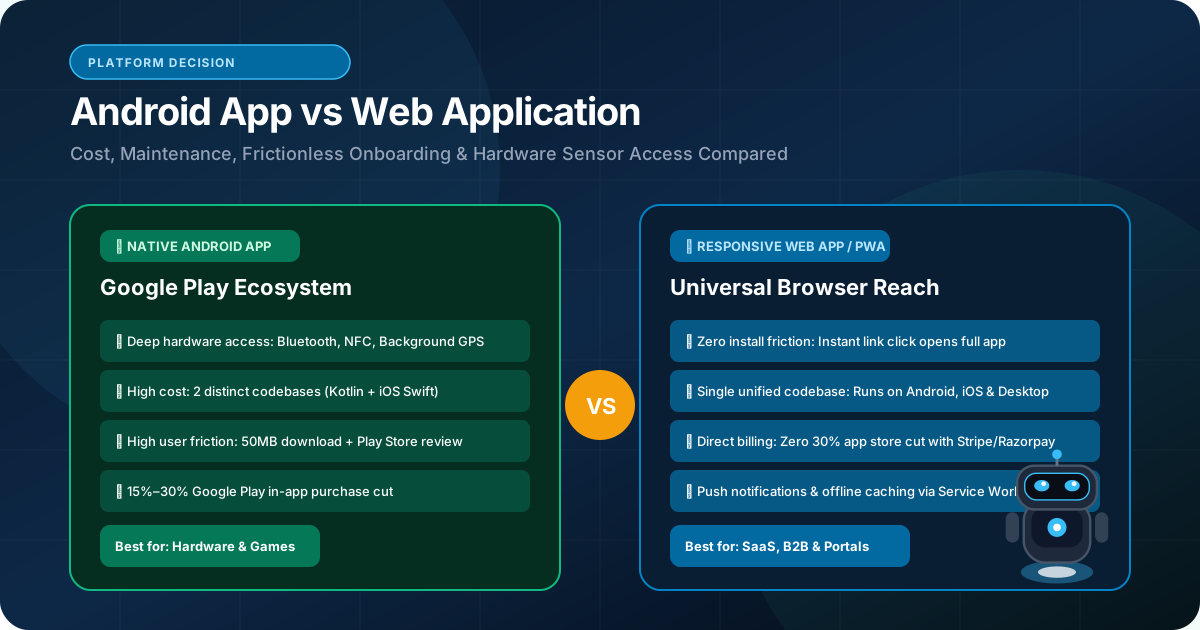
Android App Development vs Web Application: Which Should Your Business Build?
Should your business build a native Android app or a responsive web application? Compare hardware features, app store friction, development budgets, and user reach.
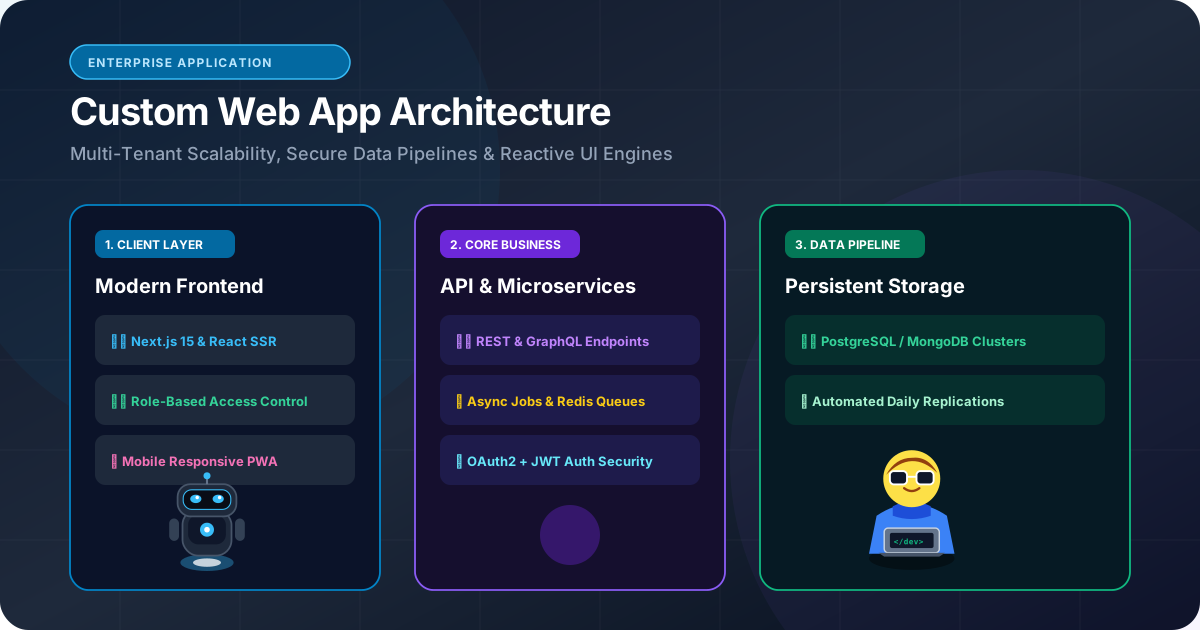
Custom Web Application Development: When Should a Business Build a Custom Web App?
When should a business build custom web applications instead of subscribing to SaaS? Learn how custom portals, wholesale dashboards, and bespoke workflows deliver compounding ROI.
Frontend Development: How Modern Websites Deliver Fast and Interactive Experiences
Learn how modern frontend development combines Next.js, React, and TypeScript to deliver lightning-fast page speeds, mobile responsiveness, and high conversion rates.

How Much Does It Cost to Build a Business Website in 2026?
How much does a business website cost in 2026? Explore the real cost drivers—design complexity, page count, CMS, custom integrations, security, and maintenance.